1、用命令行工具修改
git remote set-url origin <新的仓库地址> |
2、用命令行工具批量修改
#!/bin/bash

# 定义要修改的目标目录, 只查询目标目录的下一级目录,不会循环查询到下下级目录
TARGET_DIR="/Users/wendyeq/project/saas/"  # 替换为你的目标目录路径

# 遍历目标目录下的所有子目录
for dir in "$TARGET_DIR"/*/; do
    # 检查是否存在 .git 目录
    if [ -d "$dir/.git" ]; then
        echo "Processing Git repository in: $dir"

        # 修改远程仓库地址
        cd "$dir"
        sed -i.bak 's|http://git.gdyhsp.com:9898|https://git.gdyhsp.com|g' .git/config
        # 输出修改结果
        echo "Updated remote URL to: $(git remote get-url origin)"
    else
        echo "Skipping non-Git directory: $dir"
    fi
done

echo "All done!" |
修改上述脚本的目标目录,把脚本保存为一个文件,例如 update_git_urls.sh。
给脚本添加可执行权限:
bash复制chmod +x update_git_urls.sh运行脚本:
bash复制./update_git_urls.sh
3、用 sourcetree 修改
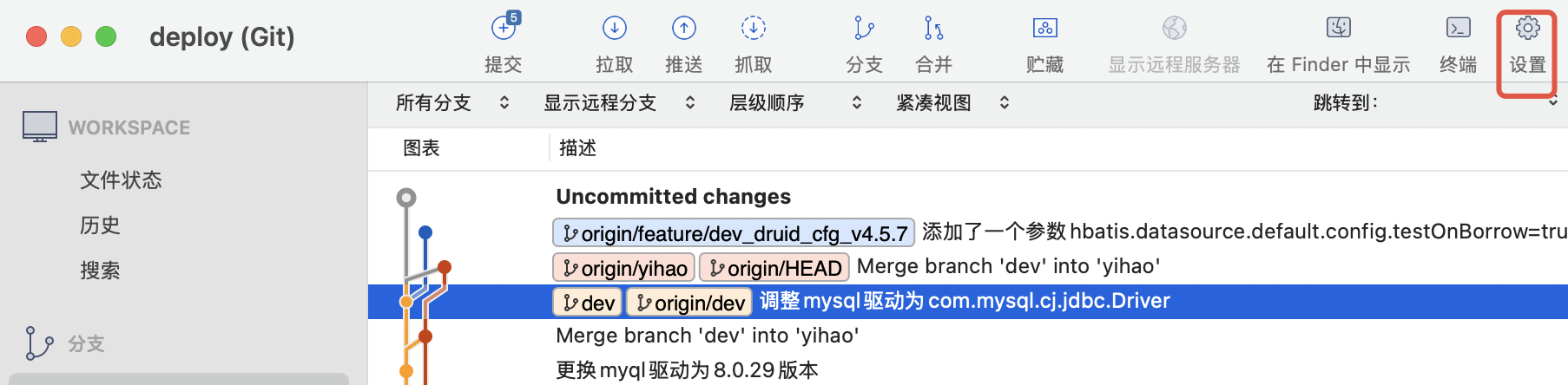
用 Sourcetree 打开项目,点击设置按钮
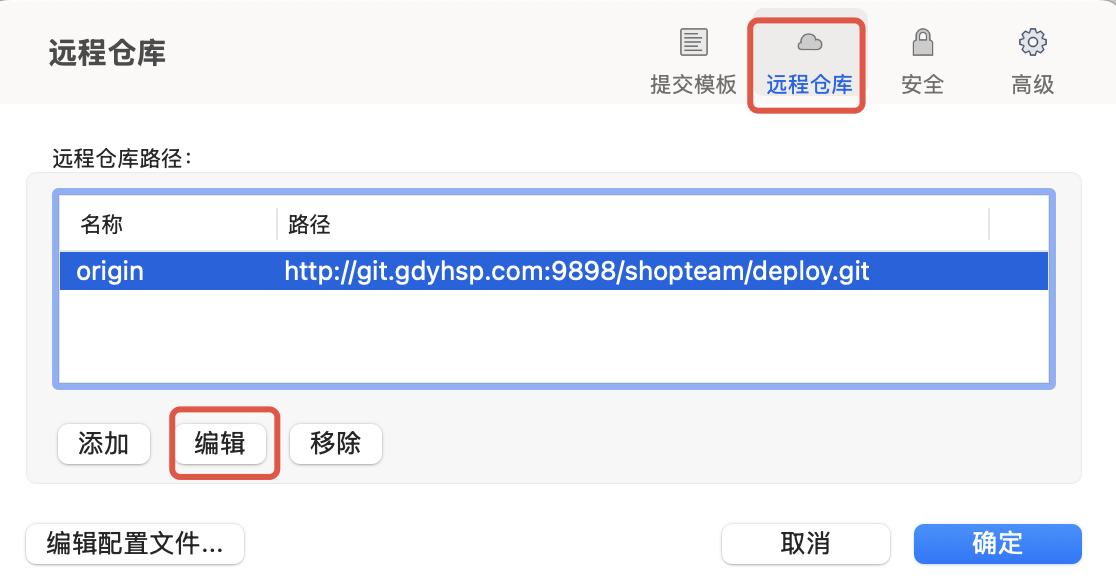
在远程仓库页签选中路径,点击编辑修改域名
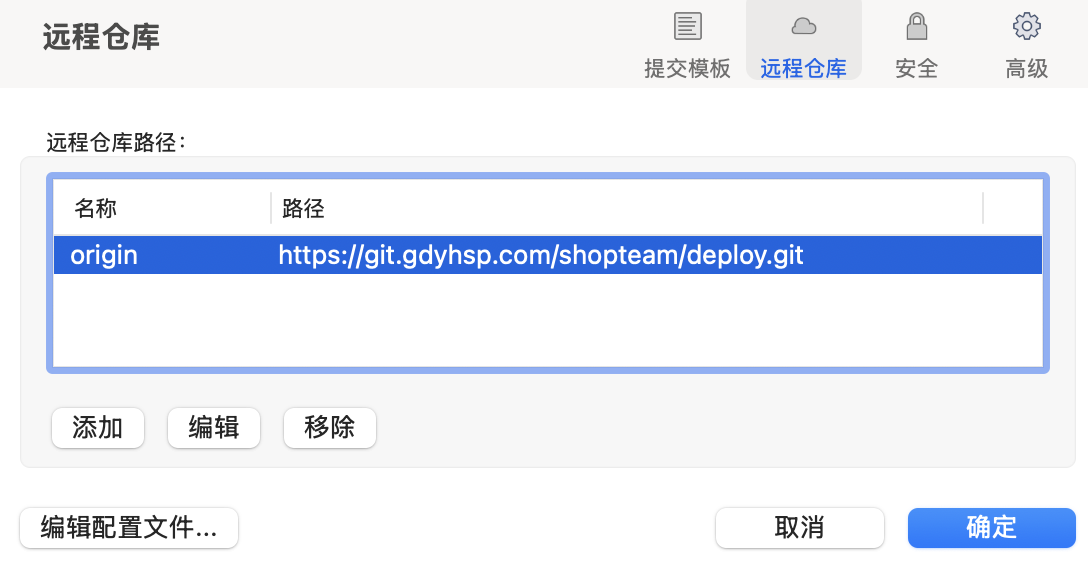
修改后如下
4、修改完成用 git pull 命令验证能否正常拉取代码