Log in
Linked Applications
Loading…
Spaces
Hit enter to search
Help
Online Help
Keyboard Shortcuts
Feed Builder
What’s new
Available Gadgets
About Confluence
Log in
公共知识库
Pages
Space shortcuts
故障排除文章
指导文章
Page tree
Browse pages
Configure
Space tools
A
t
tachments (3)
Page History
Page Information
Resolved comments
View in Hierarchy
View Source
Export to PDF
Export to Word
Pages
欢迎使用壹号知识库
指导文章
Jira links
在IDEA中,修改Git仓库的方式
Created by
刘少锋
on
2025-03-03
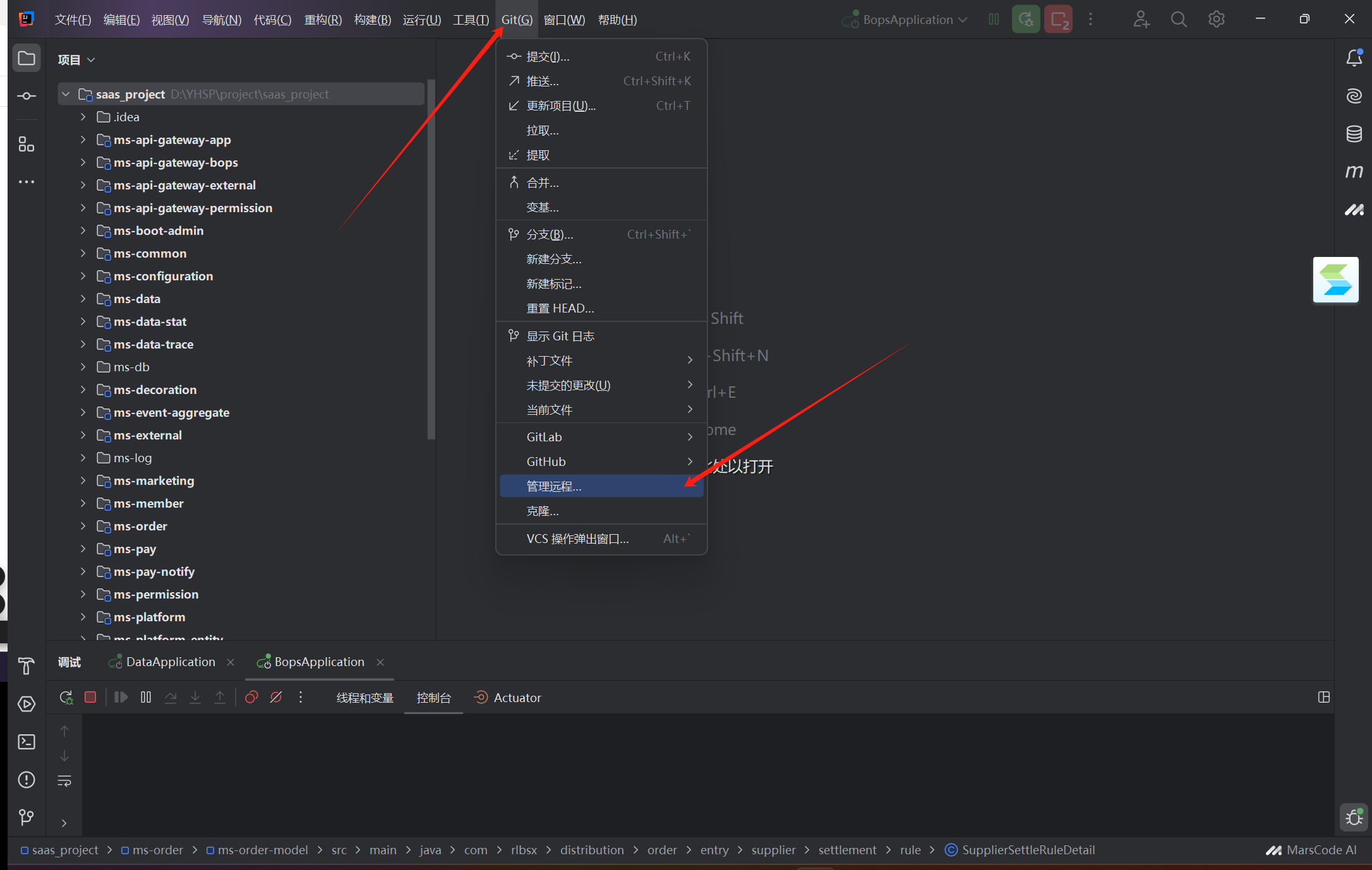
1、打开idea软件,找到工具栏中的Git字样,在视图中找到管理远程
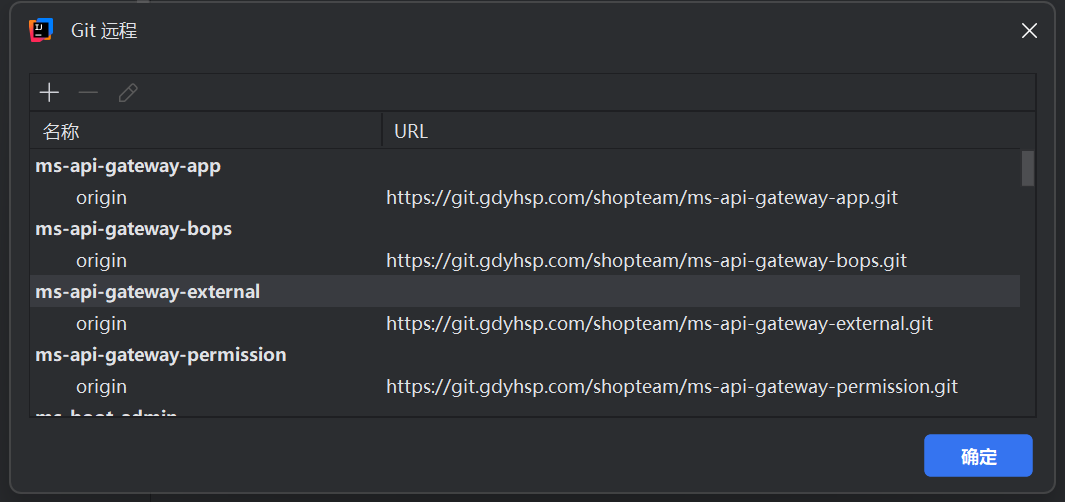
2、点击管理远程,弹出来的窗口就是当前项目中所有的工程仓库地址
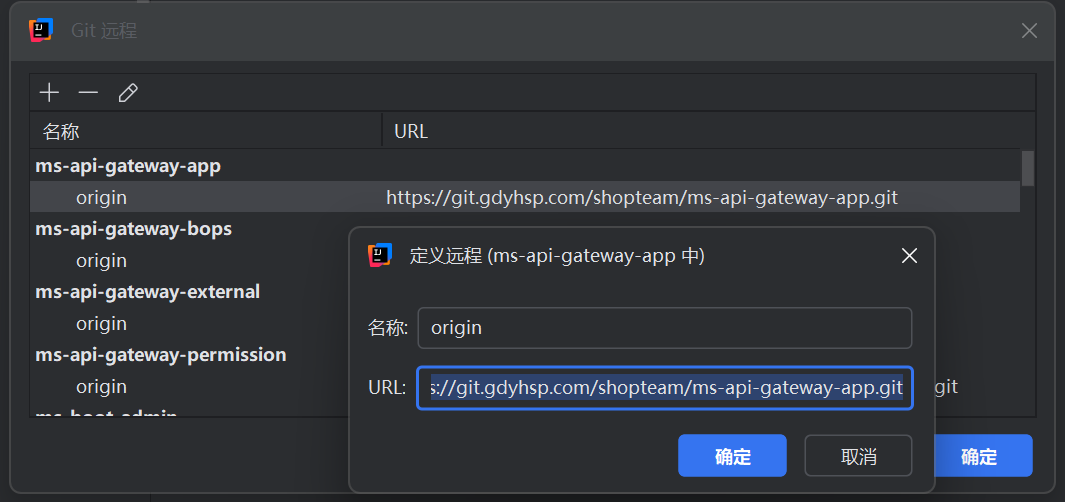
3、双击URL下的地址,然后填写最新的地址即可。(有时需要登录GitLab账号,记得自己的账号密码登录即可)
No labels
Write a comment…
Add Comment
Overview
Content Tools
{"serverDuration": 81, "requestCorrelationId": "93f807e975f9700b"}

Add Comment